HTML to URL Converter
Transform raw HTML code or files into an instant, shareable HTTPS web link. Free static hosting, custom subdomains, and zero server setup.
Instant HTML to URL Publishing
Stop emailing .html attachments or zip files. Turn your code into a permanent HTTPS link that opens instantly on any device.
1. Paste HTML Code
Copy raw code from your editor or AI generator (ChatGPT/Claude), paste it into HTMLSave, and generate a link in under 5 seconds.
2. Upload Individual Files
Drag and drop individual web files (.html, .json, .css, .js, .txt) directly into the editor for instant publishing.
3. Get Shareable Link
Receive a clean, permanent HTTPS URL (e.g. yoursite.htmlsave.net) ready to share on Slack, email, or social media.
How to Convert HTML to a URL
Convert static HTML files or code snippets into a live link in four simple steps.
Input Code
Paste your HTML markup into the editor or drag & drop individual .html, .json, .css, or .js files.
Live Preview
Click the Preview button to inspect real-time rendered changes in a full-sized popup card overlay before publishing.
Deploy URL
Click Submit to instantly host your code on a secure HTTPS subdomain.
Share Link
Copy your live URL and send it anywhere — no account or login required for recipients.
What is an HTML to URL Converter?
An HTML to URL converter publishes raw HTML code or static web files onto high-speed web servers to generate an active HTTPS link.
Unlike standard URL encoding (which only escapes text characters like converting spaces into %20), generating an HTML to URL link hosts your markup so anyone opening it sees a fully rendered, interactive web page as you go from code to a live link in minutes.
Key Capabilities
Instant Deployment
No build pipelines or server setup. Your HTML page goes live instantly upon saving.
SSL & HTTPS Security
Automatic SSL certificate provisioning for safe, trusted browser rendering.
CSS, JS & Asset Support
Link stylesheets, JavaScript scripts, and JSON data under the same project subdomain.
Custom Subdomains
Pick your own clean project subdomain (e.g. myproject.htmlsave.net).
Why Use HTML to URL Instead of Files?
Compare the inconvenience of emailing file attachments vs generating a 1-click live link.
The Old Way
File Attachments & ZIPs- Bulky
.htmlor.zipfile attachments in emails - Recipients must download and extract archives to view
- Broken relative paths for linked CSS and JavaScript files
- Awkward to open and preview on mobile devices
The HTMLSave Way
Instant Shareable Live Link- 1-Click Access: Recipients tap a clean HTTPS link to open the page
- Zero Downloads: Renders instantly in any desktop or mobile browser
- Full Asset Hosting: HTML, CSS, JS, and JSON files hosted together
- HTTPS Encrypted: Automatic SSL security on every link
Popular Use Cases for HTML to URL
Designed for developers, students, designers, and AI creators.
Sharing AI-Generated HTML
Generated a website layout with ChatGPT, Claude, or Gemini? Host your ChatGPT HTML into HTMLSave to turn AI responses into live web links in under 30 seconds.
Rapid UI Prototyping
Show mockups and static HTML components to teammates or clients without setting up dedicated staging environments.
Student Assignments
Web development students can host their HTML, CSS, and JS course projects online for free to submit live links to instructors.
HTML Email Previews
Test and share responsive HTML newsletter templates with clients in a browser before sending campaign blasts.
Bug Reproduction Demos
Create minimal reproducible HTML test cases when reporting web layout issues or browser bugs to open-source projects.
Static Portfolio Demos
Host lightweight personal landing pages or portfolio showcases with zero infrastructure costs or ongoing maintenance.
HTMLSave Features Matrix
Everything you need to turn static code into live shareable links instantly.
| Feature | HTMLSave Capabilities | Benefit |
|---|---|---|
| Input Methods | Raw HTML Code Paste, .html Drag & Drop Upload | Flexibility for both quick snippets and full files |
| Live Editor Preview | One-click Preview button opening a full-sized popup card overlay for real-time inspection | Catch errors before publishing your URL |
| Custom Subdomains | Free custom prefix (e.g. project.htmlsave.net) | Memorable, branded links for sharing |
| SSL / HTTPS | Automatic SSL certificate provisioned for all links | Encrypted, secure browsing for recipients |
| Asset Support | HTML, CSS, JavaScript, JSON, TXT, and media files | Host complete static web pages with styles and scripts |
| Account Requirement | Instant hosting without sign-up (Optional login for dashboard) | Zero friction — publish in seconds |
| Link Persistence | Permanent live links with update capabilities | Share links with confidence they won't expire unexpectedly |
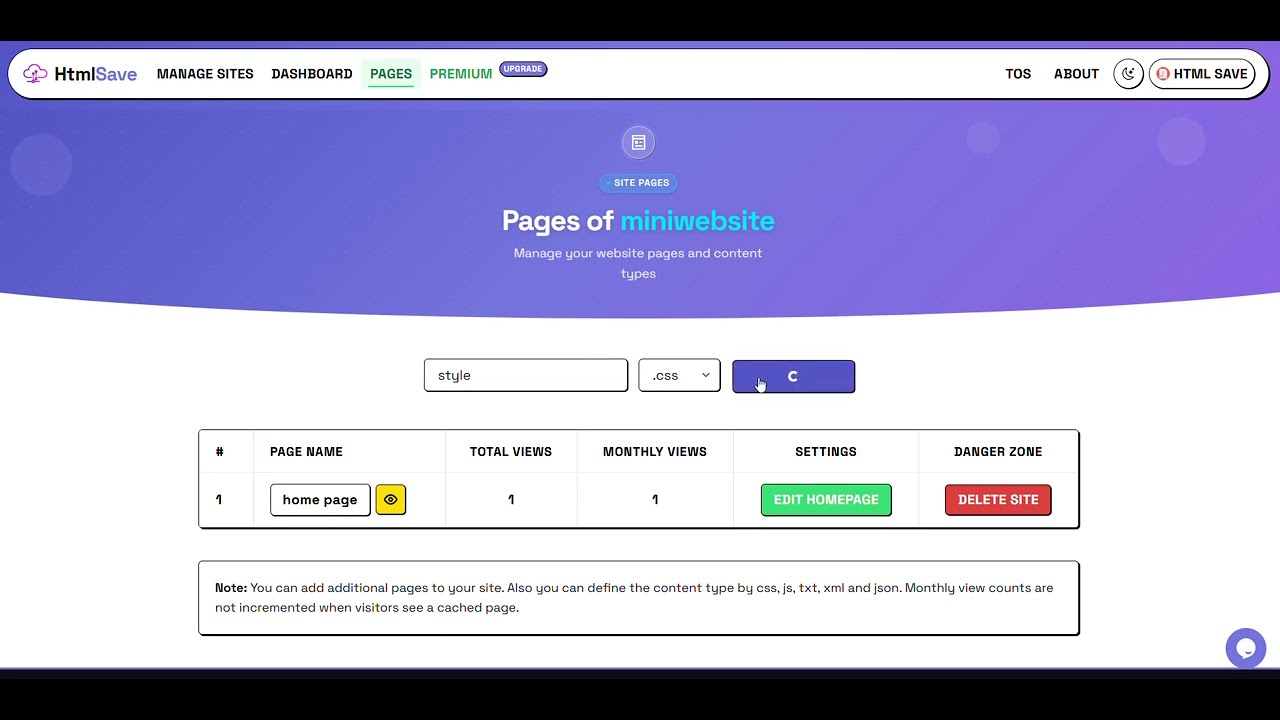
Watch HTML to URL Conversion
See how fast you can turn your HTML code into a live, shareable URL link on HTMLSave.
HTML to URL FAQ
Find answers to common questions about converting HTML code and files into live shareable links.
What is an HTML to URL converter?
An HTML to URL converter lets you upload or paste raw HTML code and instantly get a live, public web link. When anyone opens the URL in a browser, your HTML page renders live as a fully functional website.
How do I convert HTML code into a shareable URL?
Simply open HTMLSave, paste your code or drag and drop your .html file into the editor, and click Submit. A unique HTTPS URL will be created instantly for you to copy and share.
Do I need a web server, custom domain, or hosting account?
No. HTMLSave handles server infrastructure, domain allocation, and SSL certificate provisioning automatically. You don't need any prior server administration experience or paid hosting accounts.
Can I host AI-generated HTML pages online?
Yes! HTMLSave is perfect for testing code generated by AI assistants like ChatGPT, Claude, or Gemini. Paste the generated HTML directly into HTMLSave to get an instant live preview link.
Can I include CSS, JavaScript, and images in my HTML to URL page?
Yes. HTMLSave supports inline CSS and JavaScript as well as separate asset files under the same project subdomain, allowing you to build complete static web pages.
Are my converted HTML URLs secure and private?
All HTMLSave links are served over secure HTTPS. You can also set a password on your project to manage it privately or share the password with others to collaborate on the same project.
Turn Your HTML into a Live URL Now
Join thousands of developers, students, and creators using HTMLSave for fast, free, and secure HTML hosting.
Convert HTML to URL Free