How to Host HTML from ChatGPT
Paste. Drop. Live. No Git required.
Turn AI-generated code into an ad-free, shareable HTTPS website in under a minute.
Your AI-generated page has no home. GitHub and Vercel need build pipelines. Ephemeral paste-hosts auto-delete inactive links. HTMLSave is the 30-second shortcut from prompt to live URL.
From ChatGPT Prompt to Live URL in 3 Steps
No Git commands, no servers to configure, and no domain purchases.
1. Generate with AI
Ask ChatGPT, Claude, or Gemini to build your webpage, landing page, portfolio, or tool. Click the copy button on the code block output.
2. Paste in HTMLSave
Open HTMLSave.com or use the Chrome side panel extension. Paste your code into the web editor and click Preview to test.
3. Get Your Live URL
Click Submit to Save. Your page goes live instantly on an HTTPS subdomain (e.g. myproject.htmlsave.net) ready to share!
Copy-Ready ChatGPT Web Prompts
Use these optimized prompts to ask ChatGPT, Claude, or Gemini for complete, deployment-ready HTML code that works out of the box on HTMLSave.
Responsive Landing Page
Category: Design & Marketingindex.html, style.css, and app.js files! HTMLSave natively supports multi-file static hosting under one subdomain.Your AI-Generated Page Needs a Real Home
When you create a site with ChatGPT, you want a live, shareable URL in 30 seconds—not a 20-minute DevOps workflow or an expiring paste.
GitHub Pages
Requires creating repositories, installing Git, CLI commands, SSH keys, commits, and push cycles. Overkill for testing a ChatGPT mockup or sharing with a client.
7-Day Paste Hosts
Tiiny Host deletes free pages strictly after 7 days and charges $6–$10/month for permanent hosting. If a client opens your link next week, it's a 404 error.
CodePen Sandbox
Wraps your code inside heavy editor iframes and platform sidebars. Not a clean standalone URL you can put in a resume, embed in Notion, or send to clients.
The HTMLSave Way
Paste & go in 30 seconds. Active accounts' sites remain live. Ad-free HTTPS on your own subdomain. Lifetime permanent hosting for just $3/mo (2–3× cheaper).
Built for the AI-Assistant Builder Workflow
Whether you are a student submitting web design homework, a freelancer previewing a quick landing page prototype for a client, or a creator showcasing an interactive tool on X (Twitter), HTMLSave provides the exact bridge between AI intelligence and web hosting.
- Zero Setup: No Node.js, npm, package.json, or build commands.
- Clean Ad-Free URLs: Visitors see your website, not platform ads or watermarks.
- Permanent for $3/mo: Keep your portfolio and projects forever without expiring.
Never worry about link expiration, access password protection, and manage all your sites in one dashboard.
View Pricing DetailsHost Multi-File AI Websites with Clean Architecture
Don't cram 3,000 lines of CSS and JavaScript into inline tags. Ask ChatGPT to generate modular files and host them cleanly on HTMLSave.
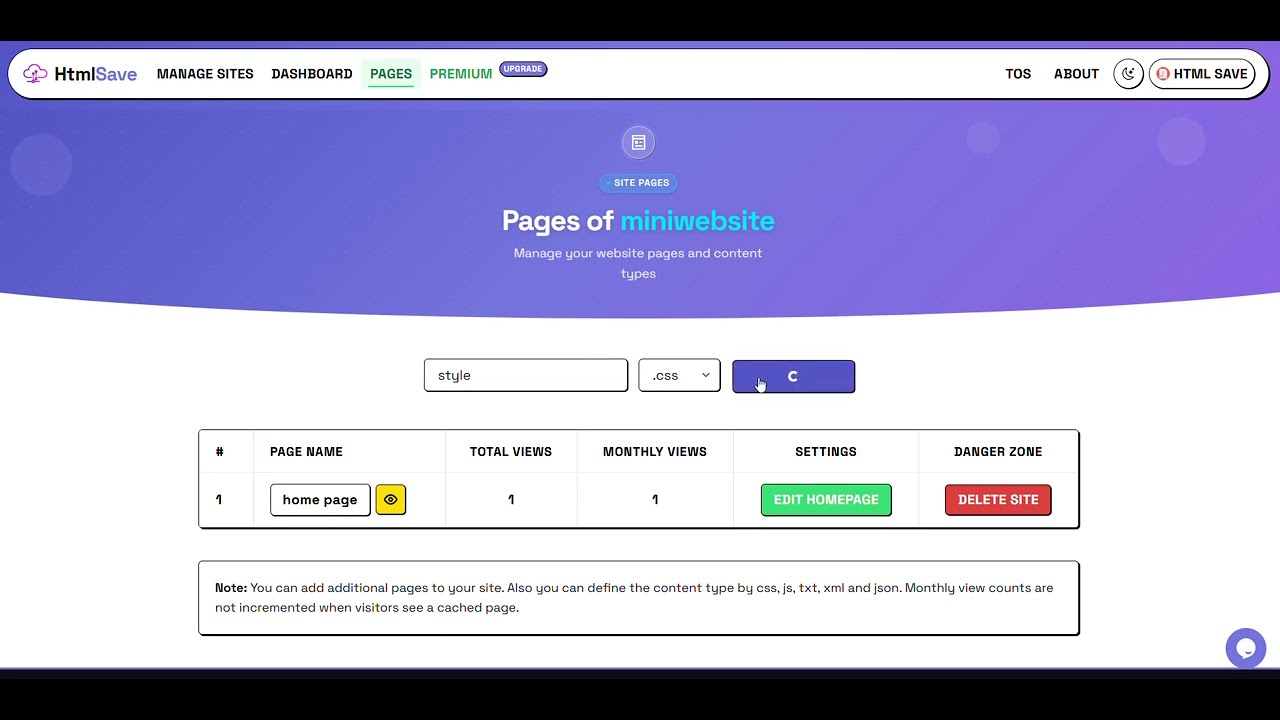
HTMLSave supports attaching separate stylesheets (.css), JavaScript logic (.js), and JSON data (.json) under the exact same subdomain.
<link rel="stylesheet" href="style.css">fetch('data.json') calls with CORS-free same-originDock HTMLSave in Your Browser Side Panel
Working with ChatGPT, Claude, Gemini, or Grok? Keep HTMLSave docked directly in your Chrome side panel to deploy without ever leaving your AI chat tab.
- Zero Tab Switching: Copy code from ChatGPT in your main window and paste it straight into the side panel.
- Instant Live Preview: Verify rendered styles and JavaScript before generating your public URL.
- 5.0★ Chrome Web Store Rating: Lightweight, private, and 100% free extension.
HTMLSave Browser Sidepanel
The fastest way to take code from ChatGPT, Claude, and Gemini straight to a live website.
How HTMLSave Compares for AI Code
See why AI builders choose HTMLSave over complex platforms and expiring pastebins.
| Feature | HTMLSaveRECOMMENDED | GitHub Pages | Tiiny Host | CodePen |
|---|---|---|---|---|
| Time to Live URL | Under 30 seconds | 3–5 mins (Git setup) | ~1 minute | ~1 minute (Sandbox) |
| Git / CLI Required | No (Zero Git) | Yes (Git repo) | No | No |
| Clean Subdomain URL | Yes (.htmlsave.net) | Yes | Watermarked | Framed Editor URL |
| Free Link Retention | Active accounts' sites remain live | Permanent (public) | Deleted in 7 days | Permanent sandbox |
| Multi-File & CORS-free fetch() | Yes (CSS, JS, JSON) | Yes | Yes (via ZIP) | Complex CORS |
| Edit in Browser | 1-Click Web Editor | Limited web editor | Re-upload ZIP | Yes |
| Permanent Hosting Price | $3 / month | Free (requires Git) | $8 – $10 / month | $8 – $12 / month |
Watch How Fast It Works
Watch how easily you can paste HTML code and deploy an ad-free, SSL-secured website on HTMLSave.
Hosting ChatGPT HTML FAQ
Everything you need to know about hosting AI-generated websites on HTMLSave.
- Copy the HTML code block from your ChatGPT conversation.
- Go to HTMLSave.com and paste the code into the editor.
- Click Submit to Save. Your page is published immediately with a unique HTTPS subdomain (e.g.
myproject.htmlsave.net).
<style> and <script> tags directly inside your HTML, or use our Multi-File Static Website Builder to attach separate style.css, app.js, and data.json files under the exact same project subdomain. Relative paths and CORS-free fetch() calls work seamlessly.Ready to Host Your AI Webpage?
Paste your code, get a live HTTPS link, and share your project with the world in 30 seconds.