
Let’s cut the fluff. When you need to test or share a quick frontend prototype, your options are usually polarized.
On one end, you have “pastebin” style tools that force you to cram all your CSS and JavaScript into a single index.html file using <style> and <script> tags. On the other end, you have platforms like Vercel, Netlify, or GitHub Pages, which require you to initialize a Git repository, push commits, and wait for a build step.
If you just want to host a raw, modular static site—complete with a separate style.css, script.js, and maybe a data.json file—without touching a terminal, the middle ground is surprisingly empty.
This is where HTMLSave fills the gap. It allows you to host multi-file static projects instantly, keeping your frontend code clean, modular, and separated just like a real development environment.
The Problem with “Quick” Hosting
The golden rule of frontend development is the separation of concerns: HTML for structure, CSS for presentation, and JavaScript for behavior.
But when developers need to quickly share a code snippet or test a bug in an isolated environment, they often abandon this rule. To get a quick URL, they inline everything. This makes the code harder to read, harder to debug, and completely unrepresentative of how the code will act in a production environment.
HTMLSave fixes this by giving you a dashboard where you can manage multiple file types under a single hosted site.
True Multi-File Hosting: How HTMLSave Works
HTMLSave isn’t just a single-page HTML host. It acts as a mini file system for your static assets.
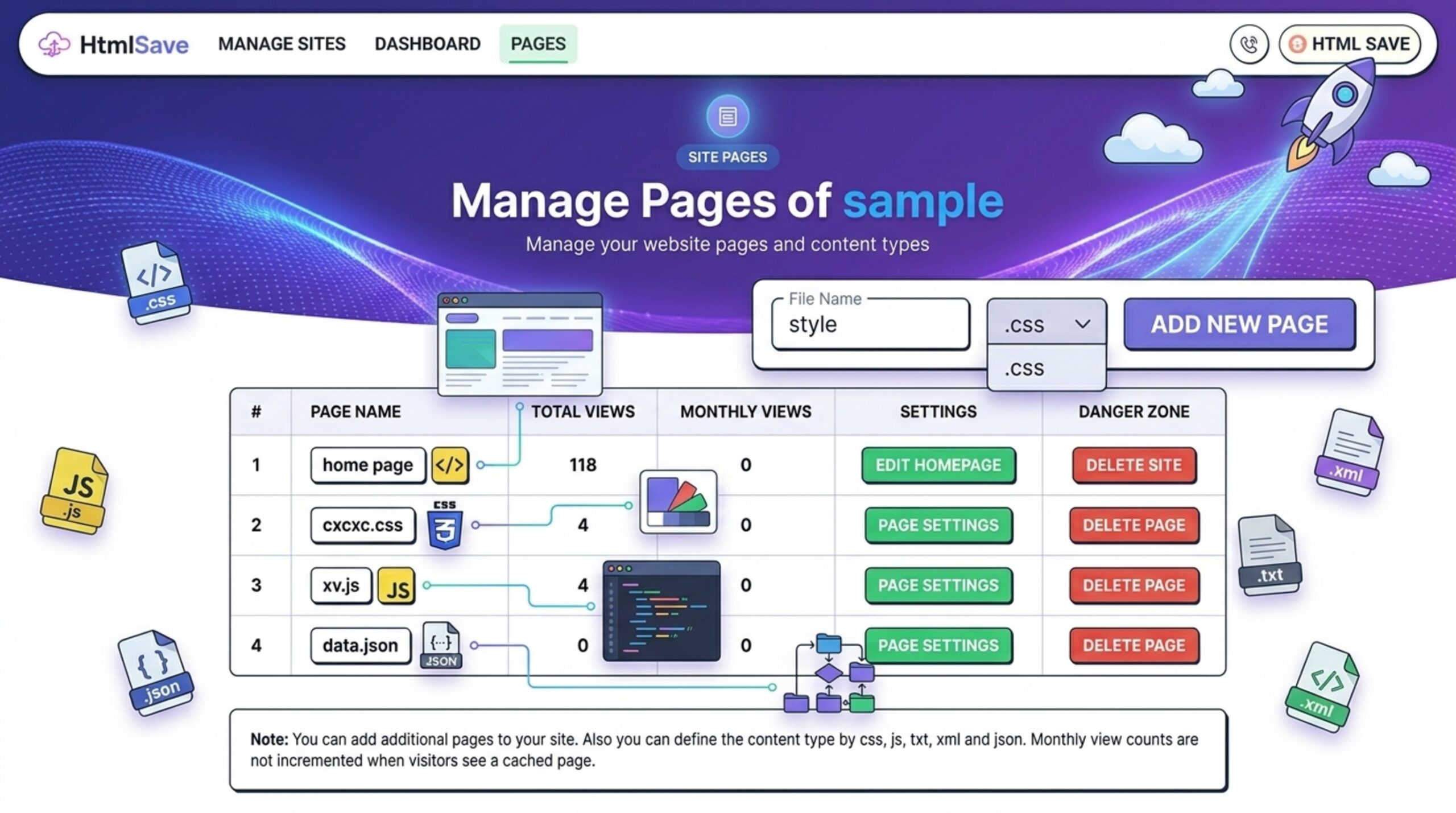
When you paste your initial HTML and create a site, you are given a dashboard. From there, you can click “Add New Page to Site” and select the specific file extension you need from a dropdown.
HTMLSave supports the essential static file types:
- .css (Stylesheets)
- .js (JavaScript logic)
- .json (Great for testing fetch() requests and mock data)
- .xml and .txt (For configuration or raw text testing)
Linking Your Files is Native
Because HTMLSave treats these additions as actual files living in the same directory, you don’t need to learn any proprietary import syntax. You link them exactly how you would in VS Code:
To link your CSS:
<link rel="stylesheet" href="style.css">To link your JavaScript:
<script src="script.js" defer></script>To fetch your JSON data:
fetch('data.json')
  .then(response => response.json())
  .then(data => console.log(data));
This means the code you test on HTMLSave is the exact same code you will eventually drop into your final project repository. No refactoring required.
Live Editing and Aggressive Caching
Another major friction point with testing modular files online is the update process.
HTMLSave includes an in-browser code editor for all your attached .css and .js files. If you find a bug in your JavaScript, you don’t need to re-upload the file. You simply click on script.js in your dashboard, tweak the logic, hit Save Changes, and refresh your live preview link.
Furthermore, HTMLSave caches your site heavily on the edge (for about 2-4 hours) to ensure lightning-fast load times. But crucially for developers, it purges the cache the moment you update the code. You won’t find yourself furiously hitting Ctrl + F5 wondering why your new CSS margin isn’t applying.
Pricing: Free vs. Premium Limits
Developers appreciate transparency, so let’s talk about the limits. HTMLSave does not support media hosting (no images, videos, PDFs, or ZIPs)—it is strictly a code execution environment.
You can check out the full HTMLSave Pricing page, but here is the realistic breakdown for a developer workflow:
The Free Tier:
- Limits: 1 Site, up to 2 pages per site (e.g., your index.html and one style.css file).
- Best for: Quick, temporary tests. Free sites are deleted periodically, making this a true “scratchpad” tier.
The Premium Tier ($3/month, paid annually):
- Limits: Up to 10 Sites, and up to 10 pages per site.
- Best for: Serious prototyping. You get custom subdomains, HTTPS enabled content, and your sites never expire. If you are building modular mini-projects with multiple JS modules and JSON data files, this tier gives you the breathing room to actually architect your tests properly.
The Bottom Line
If you are tired of initializing Git repos just to test quick frontend prototypes, or sick of writing inline CSS just to get a shareable link, HTMLSave is worth bookmarking. It is the easiest way to host HTML, CSS, and JS files online together. Get the multi-file structure of a local editor with the speed of an instant web host.